Follow up every lead automatically

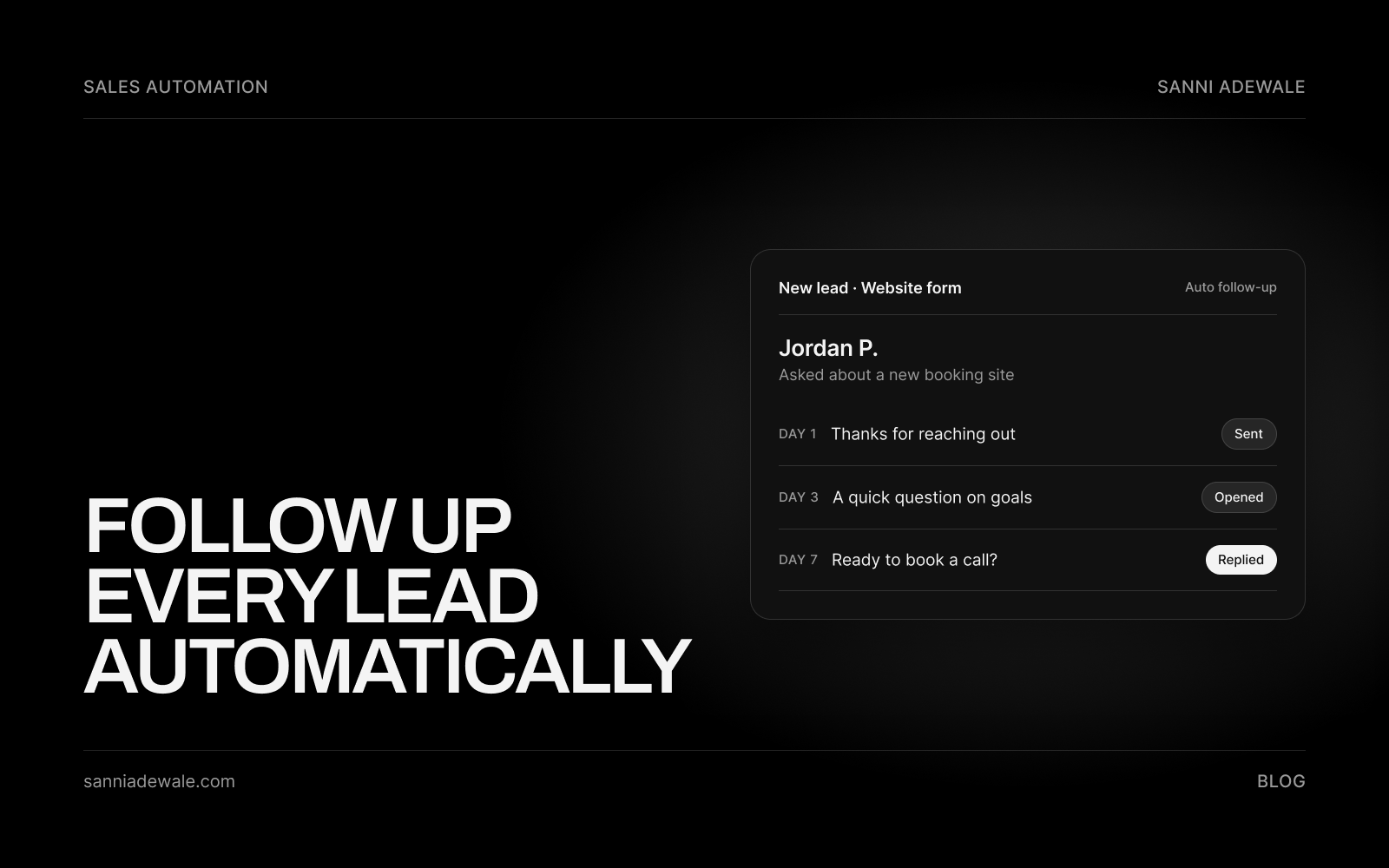
Short answer: Automated lead follow-up means every new enquiry gets a personal reply within minutes, then a short sequence of emails or texts over the next two weeks until they book, reply or opt out. AI drafts replies from the lead's own words, your CRM creates tasks for warm leads, and a person takes over once someone engages.
Why AI follow-up is trending
AI "speed-to-lead" agents are everywhere on X right now, and the big software companies are joining in. On 8 October, Microsoft put its Dynamics 365 Sales Development Agent into public preview, describing it as able to "autonomously research prospects, personalize outreach, follow up, and qualify leads".
You don't need an enterprise CRM to get the same idea working. Builders on X have been sharing small-business versions, such as this n8n speed-to-lead walkthrough: a form submission triggers an AI-written text within about a minute, the AI reads the reply to judge how warm the lead is, and cold leads drop into a follow-up sequence.
In plain English: software can now read an enquiry, write a reply that sounds like you, and keep following up on a schedule, so no lead goes cold because you were busy on a job.
Why speed matters
The best-known research on this is old but still widely cited. In "The Short Life of Online Sales Leads" (Harvard Business Review, 2011), researchers audited how 2,241 US companies responded to web leads. Firms that contacted a lead within an hour were nearly seven times as likely to qualify it as firms that waited longer, and the article's headline finding was that "most companies are not responding nearly fast enough."
You'll see sharper claims online ("21x more likely in five minutes", "you lose 30% of revenue"). Some trace back to studies that are hard to verify, so I don't lean on them. The practical point holds anyway: the first business to reply properly usually gets the conversation.
How to set it up: 7 steps
1. Collect every lead in one place
Leads arrive from your website form, booking page, ads, email, phone and social messages. Route them all into one CRM or pipeline (even a simple one) so nothing lives only in someone's inbox. Tag each one with its source.
2. Send an instant, useful first reply
Within minutes, send a reply that confirms you received the enquiry, answers the obvious question if you can, and gives one clear next step, usually a booking link. Make it personal: AI can draft it from what the lead wrote, so it says "your kitchen extension in Leeds" rather than "your enquiry."
3. Map a 14-day sequence
A simple, respectful plan for a service business:
Minute 0: personal reply plus booking link
Day 1: a short check-in with one helpful resource (a guide, a past project, an FAQ)
Day 3: answer the most common objection (price range, timeline, process)
Day 7: a short, direct "still looking for help with this?"
Day 14: a polite close: "I'll stop here; reply any time if things change"
Stop the sequence the moment someone replies or books.
4. Let AI personalise, within guardrails
Give the AI your tone of voice, your services, your no-go topics (exact quotes, guarantees) and examples of good replies. Have it draft personalised replies and summarise each lead for your team. For the first few weeks, approve AI drafts before they go out; once they're consistently right, let routine messages send automatically.
5. Create CRM tasks for warm leads
Automation should start conversations, not replace them. When a lead opens several emails, replies, clicks the booking link without booking or matches your ideal client, create a task for a person to call them that day, with the AI summary attached.
6. Stay compliant and deliverable
US email: the FTC's CAN-SPAM guide requires honest subject lines, a physical address and a working opt-out honoured within 10 business days. Penalties can reach $53,088 per violating email.
US texts: text marketing falls under the TCPA, so get clear consent on your form before sending marketing SMS, and honour "STOP" straight away.
UK and EU: replying to someone who asked you a question is normal. Ongoing marketing emails need a lawful basis under GDPR, and the UK's PECR rules on electronic marketing apply; see the ICO's guide to PECR.
Deliverability: send from your own domain with proper authentication (SPF, DKIM, DMARC), keep sequences short and remove anyone who doesn't engage.
7. Measure and trim every month
Track four numbers: time to first reply, reply rate, calls booked and won jobs by lead source. Cut any message that nobody replies to, and rewrite the one that gets the most replies into your first touch.
Follow-up checklist
☐ All lead sources feed one CRM or pipeline
☐ Instant personal reply live (under 5 minutes)
☐ Booking link in the first message
☐ 14-day sequence written, with stop-on-reply
☐ AI tone guide, services and no-go topics written
☐ AI drafts reviewed by a person for the first weeks
☐ Warm-lead tasks created automatically in the CRM
☐ Opt-out in every message; consent captured for SMS
☐ Domain authentication (SPF, DKIM, DMARC) set up
☐ Monthly review of reply rate and bookings scheduled
Which tools fit your business?
Option | Examples | Pricing model | Best for | Watch out for |
|---|---|---|---|---|
CRM with built-in sequences | Per seat or flat monthly plan | Teams that want CRM, email, SMS and tasks in one place | Higher tiers needed for advanced sequences | |
No-code automation | Monthly plan by tasks or operations | Connecting your form, inbox, CRM and AI quickly | Costs rise with volume; logic gets messy as it grows | |
Custom AI workflow | n8n plus an AI model and SMS provider | Hosting plus usage, plus build cost | Businesses that want AI qualification and routing their way | Needs a developer to build and maintain |
Check each pricing page before you commit; plans change often.
Keep it human
The aim isn't to bombard people. A good sequence feels like a well-organised business that remembers you. Keep messages short, useful and easy to stop, and get a person on the phone as soon as someone shows real interest.
FAQ
What is automated lead follow-up?
It's a system that replies to every new enquiry within minutes and then follows up on a set schedule by email or text until the lead books, replies or opts out. It usually runs from your CRM, with AI drafting personal messages.
How fast should I respond to a new lead?
As fast as you reasonably can, ideally within minutes. Harvard Business Review research found firms that responded within an hour were nearly seven times as likely to qualify a lead as those that waited longer.
How many follow-ups should I send?
For most service businesses, four or five messages over about two weeks is enough. Stop as soon as the lead replies or books, and end with a polite closing message rather than following up forever.
Can AI write my follow-up messages?
Yes. AI can draft personalised replies from what the lead wrote, using your tone and services. Review its drafts for the first few weeks, set topics it must avoid, and hand engaged leads to a person.
Is automated follow-up legal in the UK and EU?
Replying to an enquiry is normal, but ongoing marketing needs a lawful basis under GDPR, and UK PECR rules apply to electronic marketing. Include an opt-out in every message and check the ICO's guidance.
Do I need a CRM for automated follow-up?
You need somewhere that holds every lead and triggers messages. That can be a full CRM like HubSpot or a simpler setup connected with Zapier, Make or n8n. One central place is what matters.
Will automated emails go to spam?
They can if they're poorly set up. Send from your own domain with SPF, DKIM and DMARC configured, keep sequences short and personal, and remove contacts who never engage.
Want something like this for your business?
Send us an email at Lexxy0905@gmail.com or book a call.