Let AI answer your leads

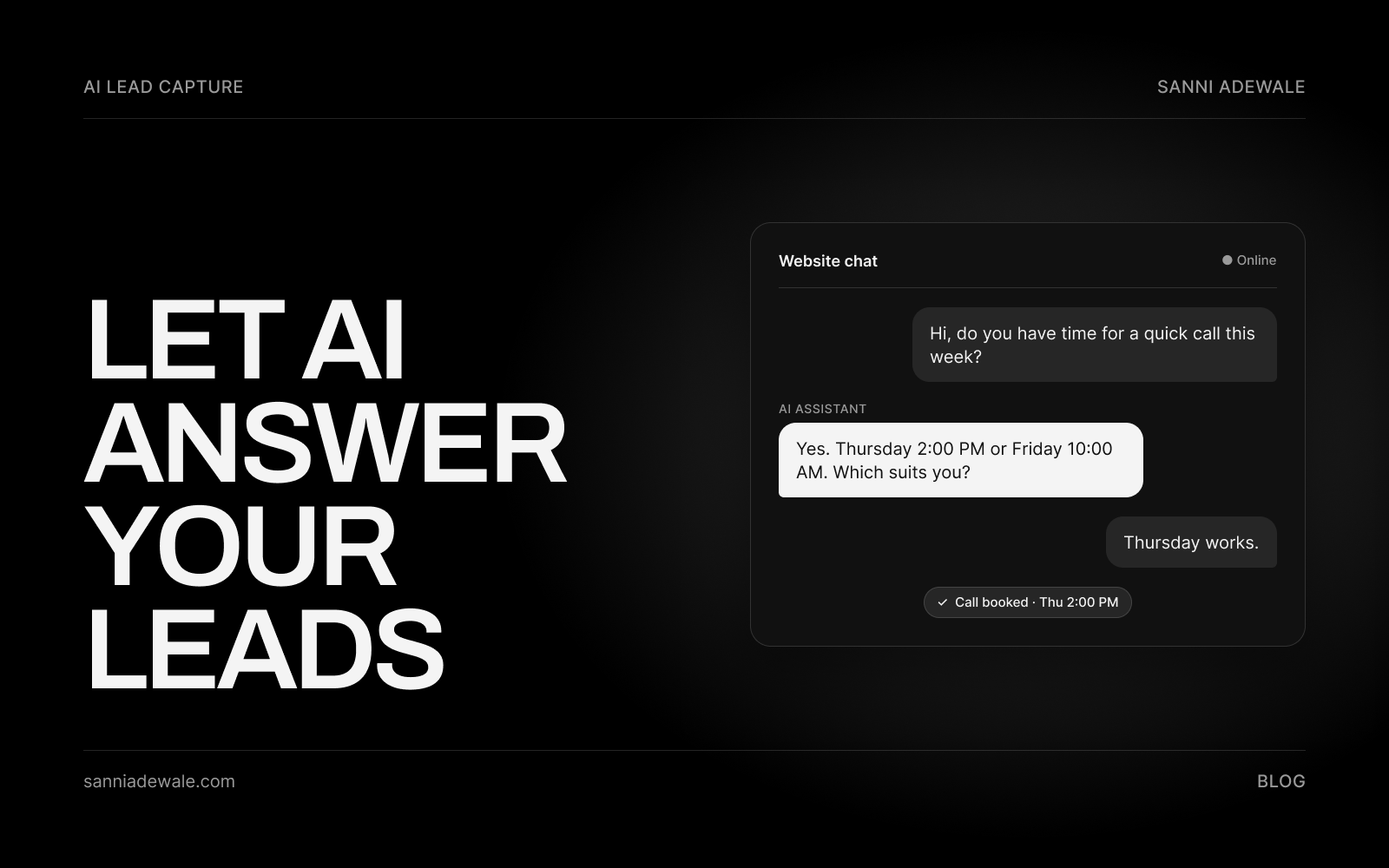
Short answer: An AI chatbot for your website answers visitor questions from your own content, asks a few qualifying questions and books a call straight into your calendar, day or night. Start with one job (answer and book), train it only on approved information, tell visitors it's AI, and hand anything tricky to a person.
Why this is on everyone's feed this week
On 21 October, Anthropic opened a research preview of Claude Duet, which it calls a "proactive agent": an assistant that keeps working when you step away and checks with you before it acts on your behalf. Anthropic was also upfront that it "can still misjudge what's urgent", and early hands-on reviews such as Peter Yang's are comparing it with similar agents from other labs.
In plain English: AI is moving from "answer my question" to "do the job while I'm away, but check with me first." Duet is a personal assistant, not a website tool. But that same pattern is exactly what a good website chatbot should do for your business: handle the routine questions at 9pm on a Sunday, book the call, and pass anything unusual to you.
For most service businesses (agencies, clinics, trades, consultants), the website is where leads quietly leak. Someone lands on your site after hours, has one question, can't get an answer, and leaves. An AI assistant fixes that one gap.
What an AI website chatbot actually does
A modern chatbot isn't the old decision-tree bot with fixed buttons. It reads your website pages, FAQs and service documents, then answers in normal language. The useful version for a business does four things:
Answers common questions from your approved content.
Qualifies the visitor with two or three questions (service, location, timeline, budget range).
Books a call or appointment into your real calendar.
Hands off to a person, with the conversation attached, when the question is outside its lane.
Most of the guides ranking for this topic are written by chatbot vendors promoting their own tool. They explain features but skip the full lead flow, the real cost models and the legal side. The plan below covers all three.
How to set it up: 7 steps
1. Pick one job for it
Don't launch a bot that "does everything." Choose one outcome, usually answer the top questions and book a call. A narrow job is easier to train, easier to test and easier to measure.
2. List the 20 questions you actually get
Go through your inbox, contact form submissions and call notes. Write down the 20 questions people ask most, with the answer you'd give. This becomes the bot's core knowledge and stops it guessing.
3. Decide what it must never answer
Write a short "no-go" list: exact quotes or prices that depend on a site visit, medical or legal advice, refunds, complaints. For those, the bot says a person will follow up and collects contact details. This matters: in Moffatt v. Air Canada (2024), a Canadian tribunal held the airline responsible for wrong fare information its website chatbot gave, finding it did not take reasonable care to ensure its chatbot was accurate. Your business owns what your bot says.
4. Choose the right type of tool
You have three broad options (see the table below): an all-in-one support platform, a no-code bot trained on your content, or a custom build on an AI model connected to your own calendar and CRM. Pick based on how much control you need over booking and data, not on the demo.
5. Connect booking and your CRM
A chatbot that collects a name and then sends an email to nobody isn't lead generation. Connect it to your booking page (Google Calendar, Calendly or similar) and push every conversation into your CRM or a shared inbox with the visitor's answers attached, so your team sees context before the call.
6. Be clear that it's AI and handle data properly
Open with a simple line such as "Hi, I'm the AI assistant for [Business]. A person can take over any time." In the EU, Article 50 of the AI Act requires that people are informed they're interacting with an AI system unless that's obvious, and that duty applies from 2 August 2026. If you serve UK or EU customers, also check where chat data is stored, sign the vendor's data processing agreement, set how long transcripts are kept, and update your privacy notice.
7. Test with real questions, then review weekly
Before launch, ask it 30 real questions, including awkward ones and your no-go topics. After launch, read a sample of transcripts every week for the first month. Add missing answers, tighten the no-go list and track three numbers: conversations, qualified leads and calls booked.
Launch checklist
☐ One clear job chosen (e.g. answer and book)
☐ Top 20 questions and answers written and approved
☐ No-go list written (prices, advice, complaints)
☐ Bot limited to your approved content
☐ Opening message says it's an AI assistant
☐ "Talk to a person" option always visible
☐ Booking link connected and tested end to end
☐ Conversations sent to your CRM or inbox with context
☐ Data processing agreement signed; privacy notice updated
☐ 30 test questions run, including tricky ones
☐ Weekly transcript review booked for the first month
Which type of chatbot fits your business?
Option | Examples | Pricing model | Best for | Watch out for |
|---|---|---|---|---|
All-in-one support platform | Per resolved conversation or per AI conversation, plus seats | Businesses already running live chat or a help desk | Costs grow with volume; booking flows may need add-ons | |
No-code bot trained on your content | Monthly plan with message credits | Fast launch for a small team with a clear FAQ | Less control over data, calendar and CRM logic | |
Custom build on an AI model | Claude API or similar, connected to your calendar and CRM | Build cost, then pay per use (tokens) | Businesses that want booking, qualification and handoff working exactly their way | Needs a developer to build and maintain |
Check each vendor's pricing page before you commit, as plans change often.
Where AI helps, and where a person should stay in charge
Gartner predicts that agentic AI will autonomously resolve 80% of common customer service issues without human intervention by 2029. That's a forecast, not a promise for your website, and the word to notice is common. In my experience building these, the wins come from the boring, repeated questions: opening hours, service areas, "do you work with businesses like mine?", "how does pricing work?". Leave judgement calls, unhappy customers and anything with legal or financial weight to a person, and make that handoff easy.
FAQ
What is an AI chatbot for a website?
It's an assistant on your site that answers visitor questions in normal language using your own content, such as your service pages and FAQs. A good one also asks qualifying questions, books calls into your calendar and hands complex conversations to a person.
Can an AI chatbot book appointments?
Yes. Most platforms and custom builds can connect to booking tools such as Google Calendar or Calendly, so a visitor can pick a time during the chat. Test the full flow, including confirmation emails, before you go live.
Will a chatbot give customers wrong answers?
It can if it's poorly set up. Limit it to approved content, write a list of topics it must not answer, and review transcripts weekly. Courts have held businesses responsible for what their chatbots say, so accuracy is your responsibility.
Do I have to tell visitors they're talking to AI?
In the EU, the AI Act requires people to be told they're interacting with an AI system unless it's obvious, from 2 August 2026. Wherever you operate, saying it upfront builds trust and costs nothing.
Is a website chatbot GDPR-compliant?
It can be. Sign the vendor's data processing agreement, know where chat data is stored, keep transcripts only as long as needed, and explain the chatbot in your privacy notice. Get legal advice for sensitive sectors such as healthcare.
How much does an AI website chatbot cost?
It depends on the model: support platforms often charge per resolved conversation plus seats, no-code tools charge monthly plans with message credits, and custom builds have a build cost plus usage fees. Compare based on your expected monthly conversations.
Should I build a custom chatbot or use an off-the-shelf tool?
Use an off-the-shelf tool if you mainly need FAQ answers. Choose a custom build when booking, lead qualification and CRM handoff need to work exactly your way, or when you need tighter control over data.
Want something like this for your business?
Send us an email at Lexxy0905@gmail.com or book a call.